Where are the AI Assistant tasks?
Overview
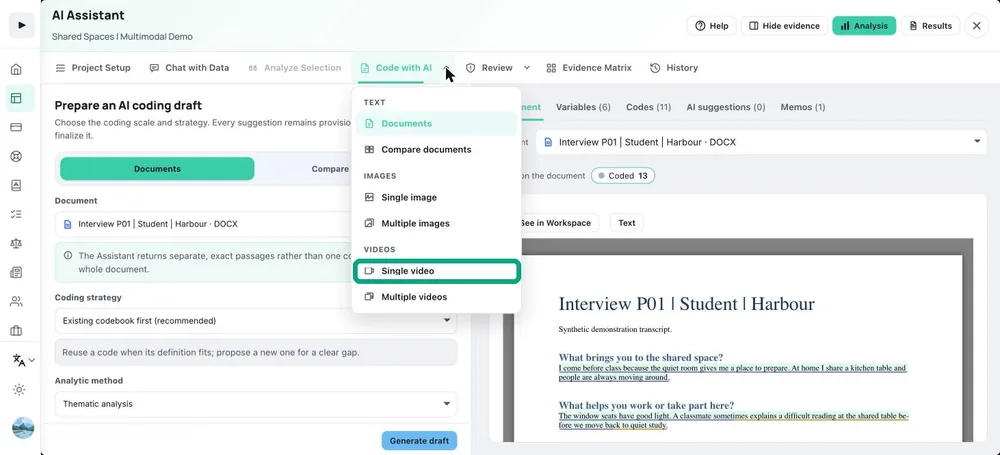
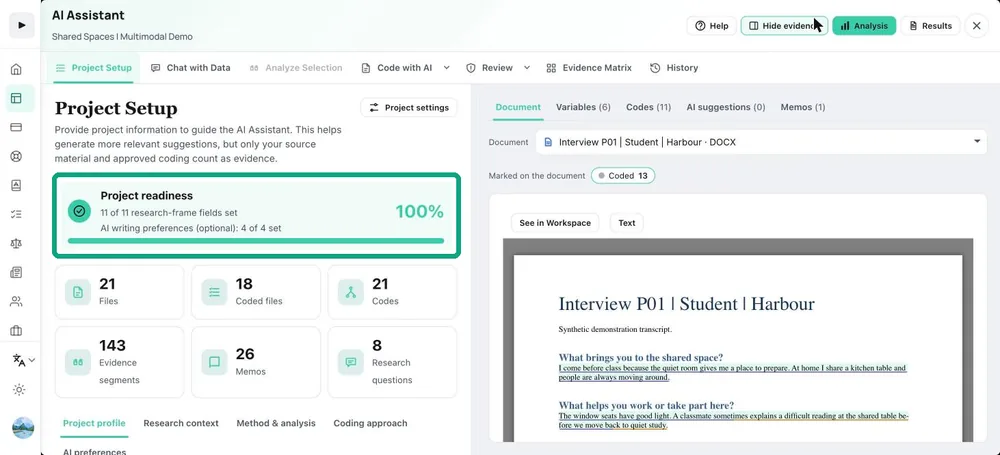
The top row has Project Setup, Chat with Data, Analyze Selection, Code with AI, Review, Evidence Matrix and History. Code with AI is grouped: Text (Documents, Compare documents), Images (Single image, Multiple images) and Videos (Single video, Multiple videos). Review holds Apply a code, Refine a code, Audit coding and Review codebook. Every entry has an icon, and the active task is highlighted.
What to do
- Open the AI Assistant and choose a task from the top row.
- For coding, open Code with AI and choose Documents, Images or Videos.
- For checking existing coding, open Review.